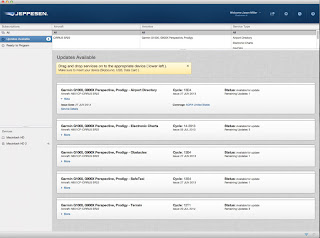
After changing from the Avidyne system to the Cirrus Perspective (G1000) system, I had to relearn an important part of owning an airplane: how to update all the data the systems use. There's even more data in the Perspective, including AOPA directory data and more charts. In this walkthrough, I make use of the Jeppesen app for Apple OS X: JDM . It has worked well for me, though I did need to call Jeppesen when I first set this up to get my subscriptions fixed up. They gave great customer support when I did. The process starts (optionally) by hooking up a ground power unit (GPU). In the case of the Cirrus, you can certainly do this without it, but I tend to hook it up just to be sure. The systems draw about 8-10amps while updating, but you won't generally have the power on for long. One tip I've read: power up the GPU before plugging it into the plane, at least for the one I bought. That saves the plane from seeing any power spikes that might hav...
For the final flight in my G1000 transition course we focused on failure scenarios. Not the "engine goes POOF" kind but the avionics kind. Normal situation This picture shows what the 2 Garmin screens show in a normal (non failure) situation. You can see we have 2 screens - the left PFD focusing on flight performance (airspeed, heading, attitude, altitude) and the right screen (MFD) focusing on engine data, mapping, checklists, and everything else. Failed PFD screen In this scenario the screen that is right in front of you (the PFD) has failed. This basically means the screen has gone dark. We simulate that by dimming the screen down to 0% brightness. After darkening the PFD we shot a GPS approach into Rock Hill. When this failure has occured you shift the G1000 into Reversionary mode. That means the info that is normally split across 2 screens is now merged into 1. It actually duplicates the same data on both screens, but since the PFD screen is no longer functioning...
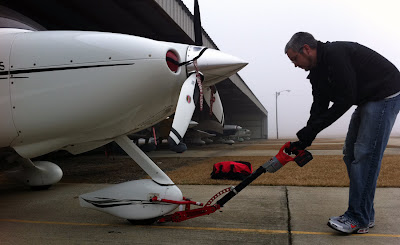
I went out to the airport today hoping to get some flying in, but with a heavy fog settled in and not going anywhere fast, I decided to just test out a battery powered tug, the Redline Sidewinder . I've always had a hard time pushing the airplane back into the shadeport, especially after a long tiring flight. The plane weighs nearly 3,000 lbs so even though the slope into the parking spot is only 1-2 degrees, it's quite a tough bird to push. Add in slipping feet, no great place to push against, bad angles for applying force, and a squirrelly castering nose wheel (doesn't like to go backwards) and it's a great recipe to hurt my back. Thankfully the Redline did a great job with the task. It's designed to have minimal weight, yet still be strong. It is powered by a heavy duty drill that drives gears and chains to apply rolling force to the nose wheel, moving the airplane at a nice slow pace. Hooking it up to the airplane is not much harder than hooking up the basic ...